














✔ Audit/ Edit final website
Completed by Alyssa W.
- Assigned to
-
 Kristabel
- Due on
- Notes
-
Notes to keep in mind:
1. In the future, images must be resized and compressed manually before being updated on the site- follow the steps on this bookmark. A maximum of 200KB file size or less is ideal, ok if a little over.2. Remember to link all "Book Now" buttons to a gravity form
3. Remember to make sure there is no lorem ipsum writing on any of the pages
SITEWIDE
1. Add this sentence on all Gravity Forms in addition to the current disclaimer: Reply 'Stop' to opt out.
2. Mark all pages as no-index/no-follow because this is a 'go' micro-website.
HEADER - MOBILE
1. Make sure services match on MOBILE & Desktop: Emsculpt, ICOONE, Jet Peel Facial.
2. Remove 'Financing' on Mobile. They don't have any yet.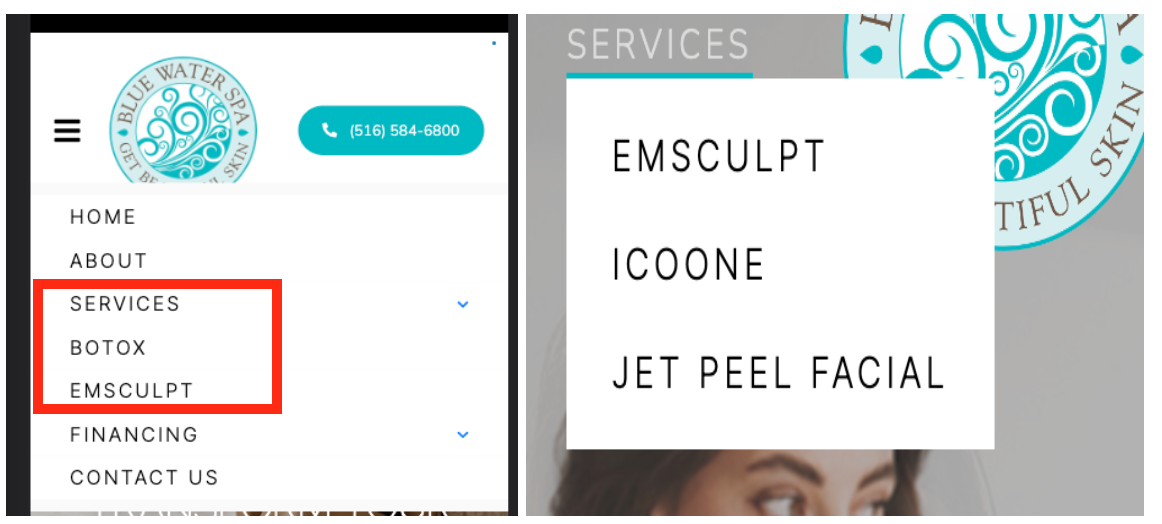
3. Mobile menu is overlapping.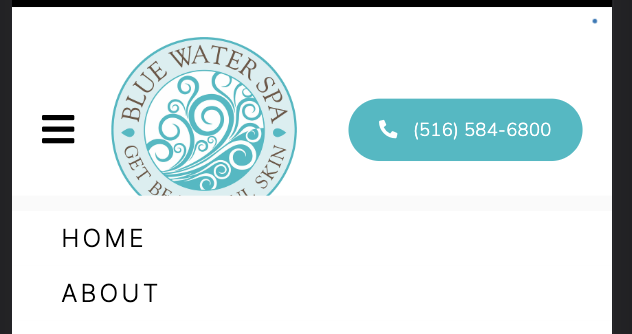
4. Please re-arrange (image for reference)
- move the location & email icon next to the social icons
- move the phone button on the sticky menu where the email & location icons are.
- hamburger menu should be on the right (this is the standard for user interaction)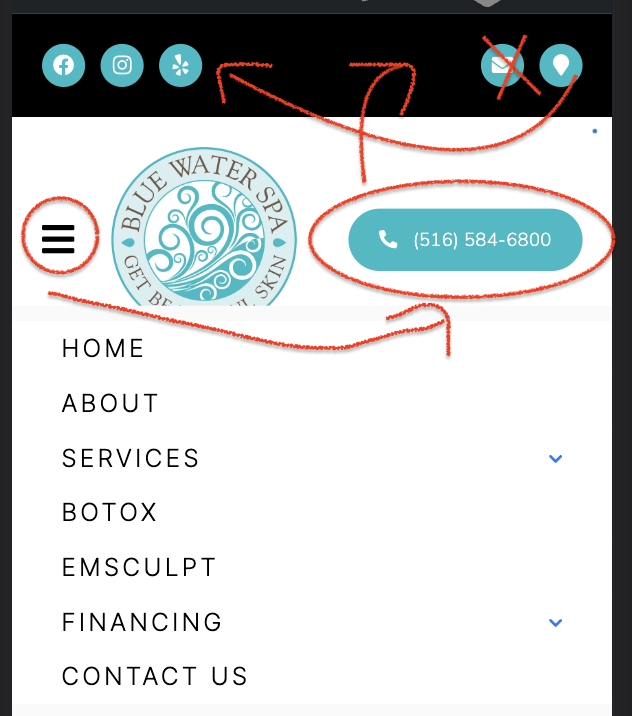
HEADER - DESKTOP
1. Remove 'Financing' (they don't have any right now) and move 'Services' there.
2. Adjust the phone number, so it does not wrap
FOOTER
1. Update the hours to match what is on their Google Business page (hours listed on the right)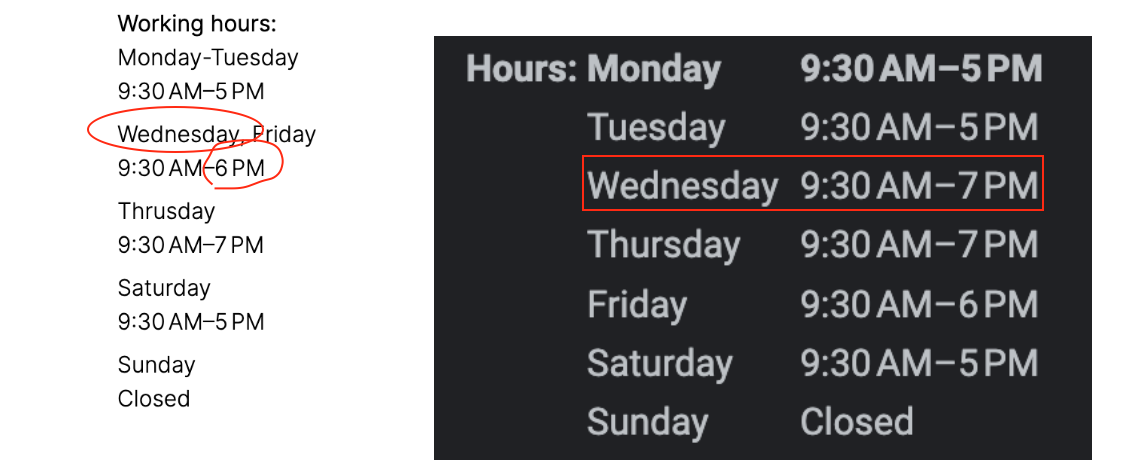 2. Make the following edits to Mobile & Desktop
- Move social icons under the logo
- Delete the footer menu, we don't need it (standard unless specified).
- move the hours on the right - DESKTOP ONLY
- add dividing lines between social icons, address, & hours - MOBILE ONLY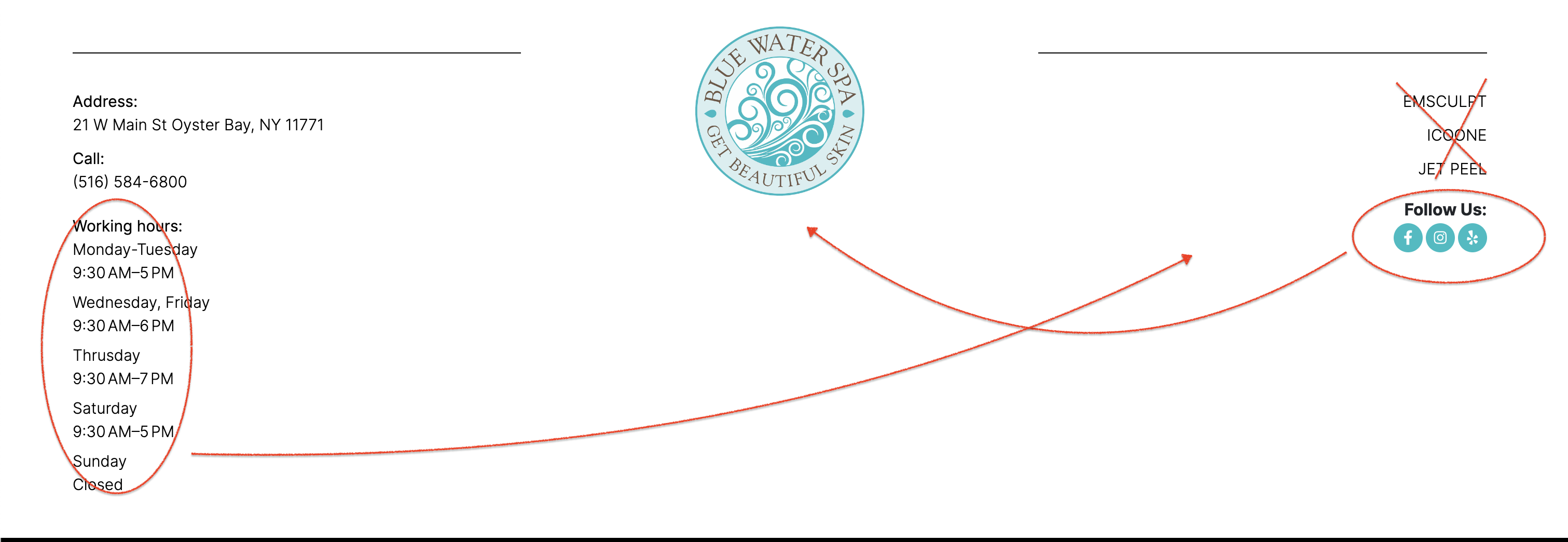
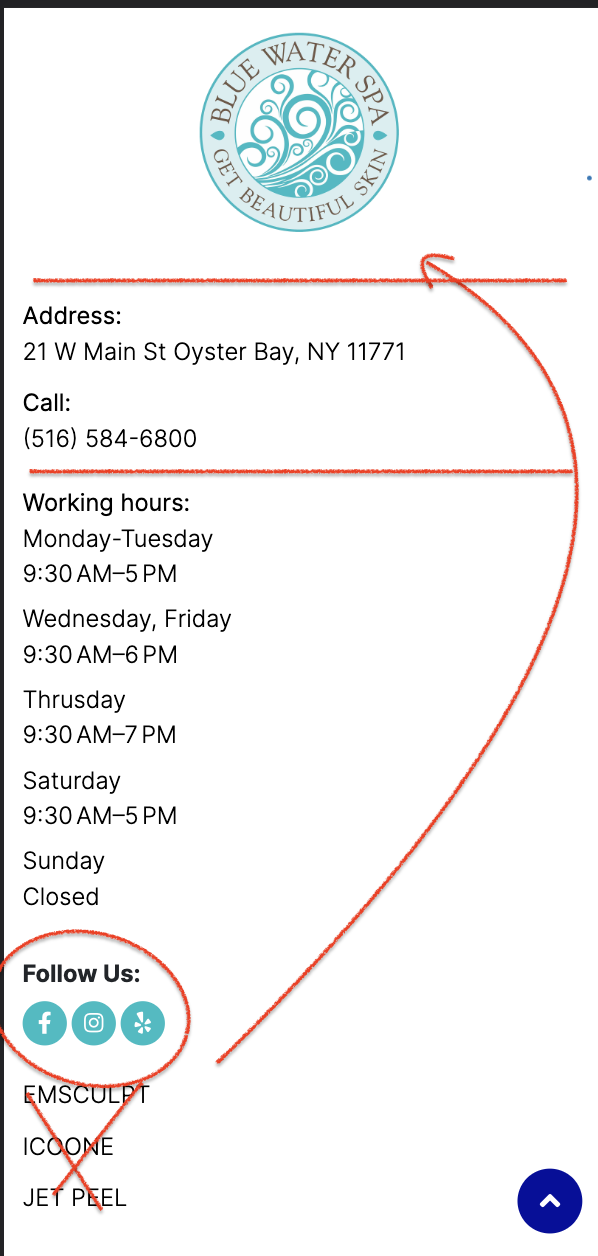 3. MOBILE - this section seems crowded. Please adjust and move the '^' up slightly so it doesn't cover the links
*Also change the color of the '^' to match the website's color theme.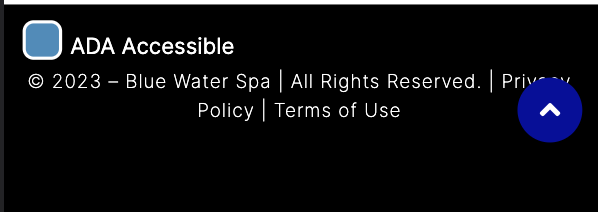
4. Please put the ADA & ^ in the same line as the text in the center.
HOMEPAGE
1. Many images are too large. A maximum of 200KB file size or less is ideal. Please follow the steps on this bookmark
The following images need to be resized & compressed manually and then re-uploaded:
# https://go.bluewaterspany.com/wp-content/uploads/2023/02/Blue-Water-Spa-Oyster-Bay-NY-hero-4.jpg (669KB)
# https://go.bluewaterspany.com/wp-content/uploads/2023/02/Blue-Waters-Spa-hero-4.jpg (1MB)
# https://go.bluewaterspany.com/wp-content/uploads/2023/02/Blue-Water-Spa-Oyster-Bay-NY-hero-6.jpg (350KB)
# https://go.bluewaterspany.com/wp-content/uploads/2023/02/Blue-Water-Spa-Oyster-Bay-NY-hero-5.jpg (347KB)
#https://go.bluewaterspany.com/wp-content/uploads/2023/02/Blue-Water-Spa-Oyster-Bay-NY-hero-1-mobile.jpg (892KB)
# https://go.bluewaterspany.com/wp-content/uploads/2023/02/Blue-Water-Spa-Oyster-Bay-NY-hero-4-1.jpg (669KB)
# https://go.bluewaterspany.com/wp-content/uploads/2023/02/Blue-Water-Spa-Oyster-Bay-NY-hero-5-mobile.jpg (473KB)
# https://go.bluewaterspany.com/wp-content/uploads/2023/02/Blue-Water-Spa-Oyster-Bay-NY-hero-2-mobile.jpg (435 KB)
# https://go.bluewaterspany.com/wp-content/uploads/2023/02/Emsculpt-Blue-Water-Spa-Oyster-Bay-NY-sec-opt-7.jpg (412KB)
# https://go.bluewaterspany.com/wp-content/uploads/2023/02/Emsculpt-Blue-Water-Spa-Oyster-Bay-NY-sec-opt-6.jpg (490KB)
# https://go.bluewaterspany.com/wp-content/uploads/2023/02/Emsculpt-Blue-Water-Spa-Oyster-Bay-NY-sec-opt.jpg (322KB)
# https://go.bluewaterspany.com/wp-content/uploads/2023/02/Emsculpt-Blue-Water-Spa-Oyster-Bay-NY-sec-opt-3.jpg (403KB)
# https://go.bluewaterspany.com/wp-content/uploads/2023/02/Blue-Water-Spa-Oyster-Bay-NY-form.jpg (700KB)
HOMEPAGE - THANK YOU
1. Make sure everything matches the homepage (content seems to be missing totally)
ABOUT US
1. Remove Lorem Ipsom on mobile & desktop in the hero (mobile & desktop)
- Move image more to the right (desktop) to reduce negative space.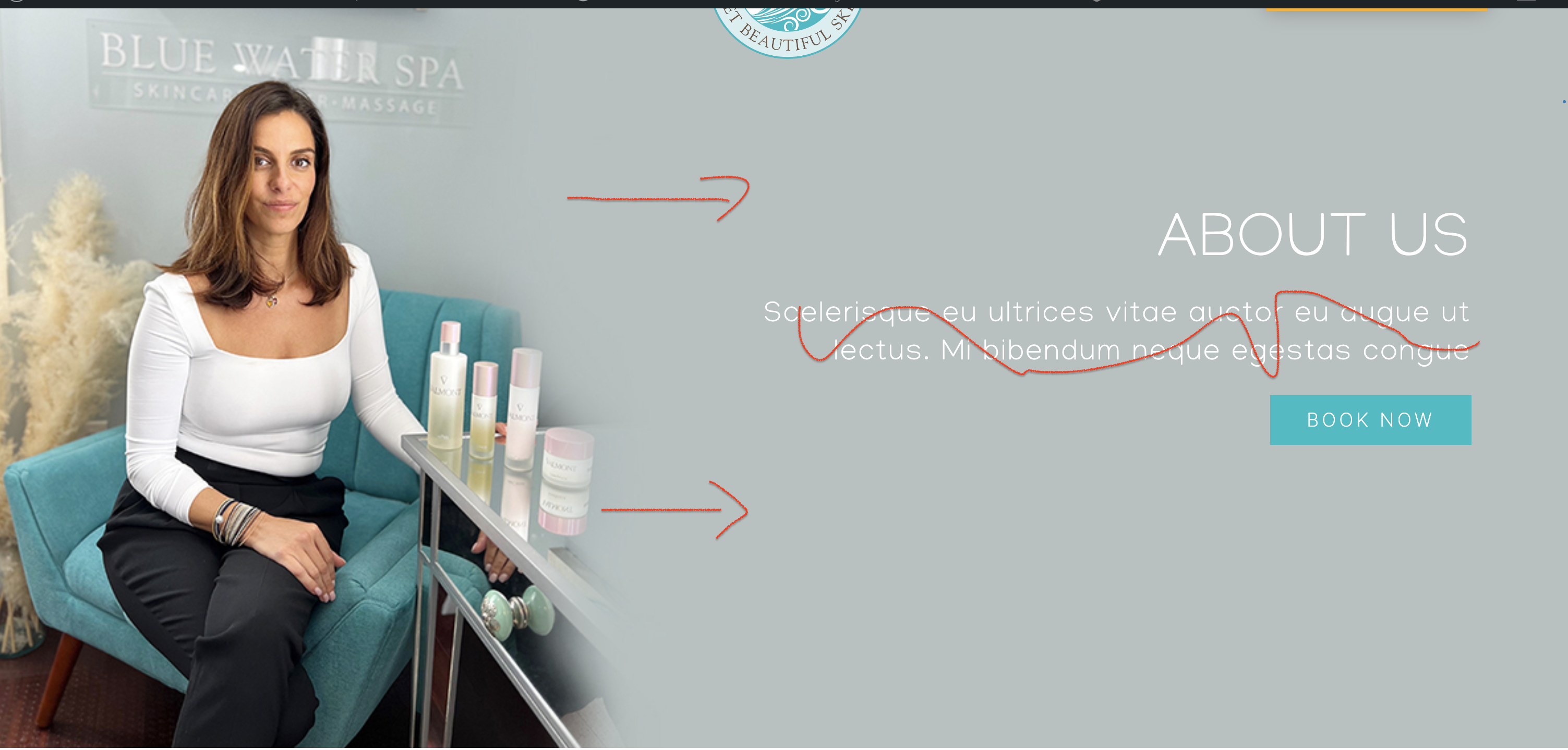 2. Mobile hero image needs to match the desktop.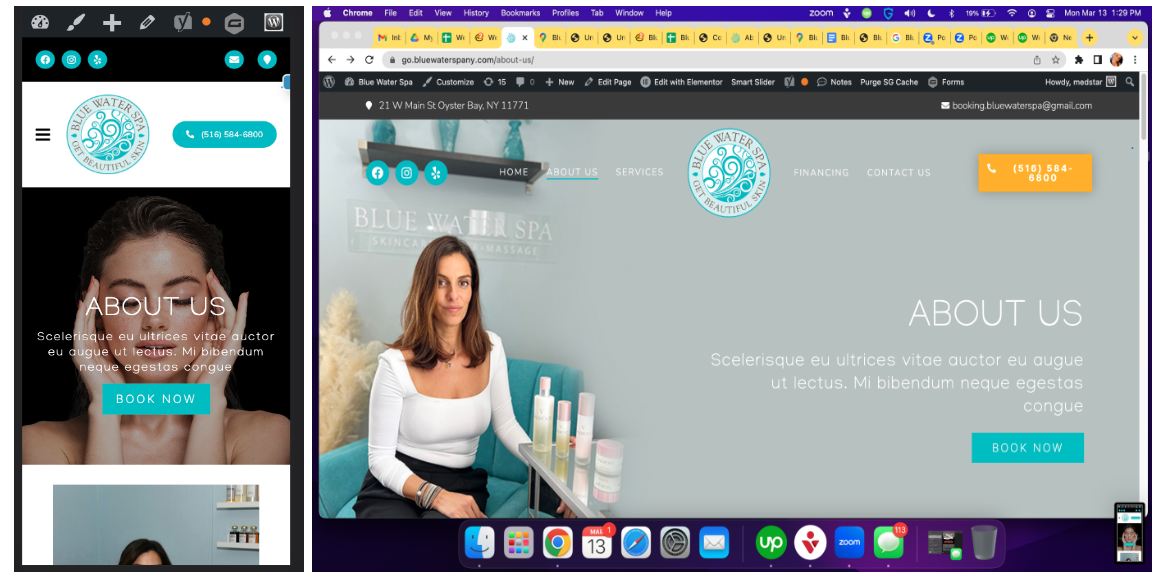
EMSCULPT
1. Anchor the button TO the bottom gravity form & change the text to GET COUPON
*On the thank you page for this section, have that button link back to the landing page-also, on desktop, can these models be moved down and/or expanded a little so the legs don't look chopped? Like how you did on Jet Peel page? Mobile looks ok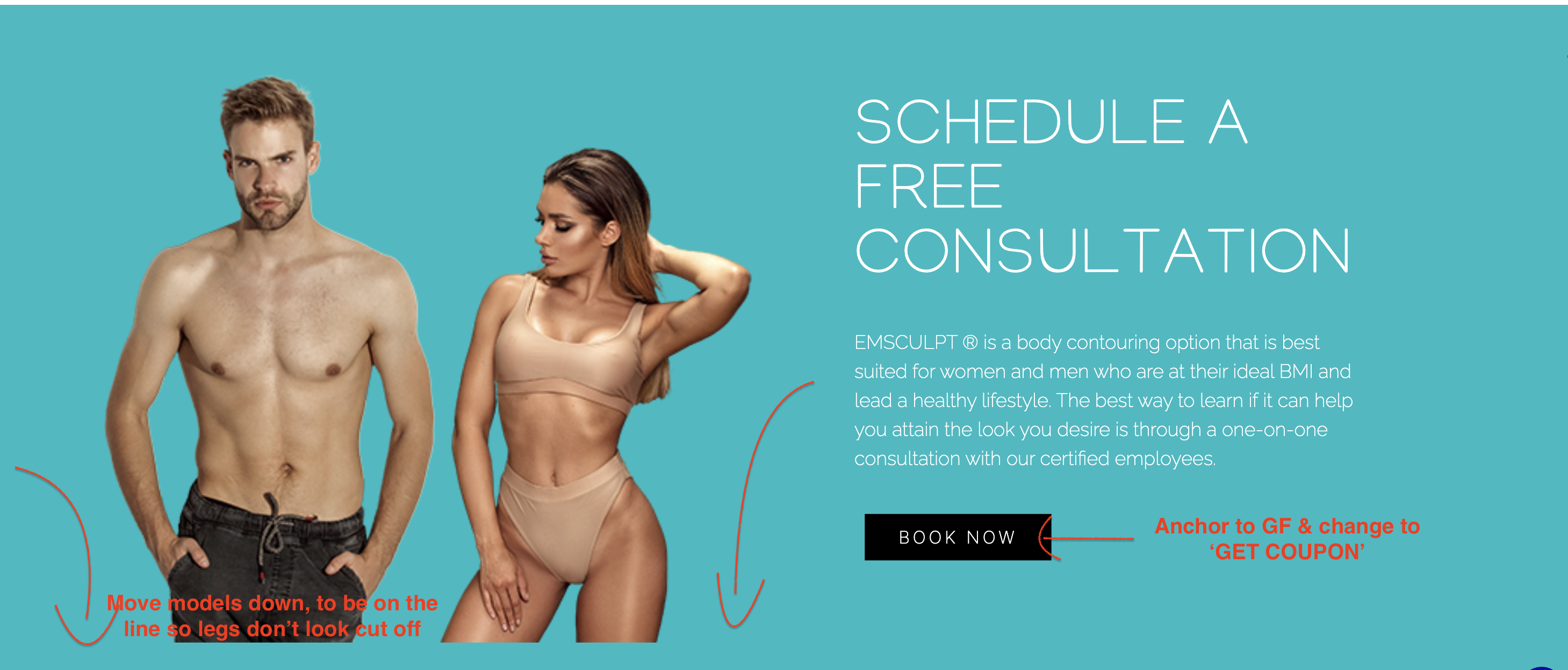 2. Ensure these are in a lightbox, not directly embedded.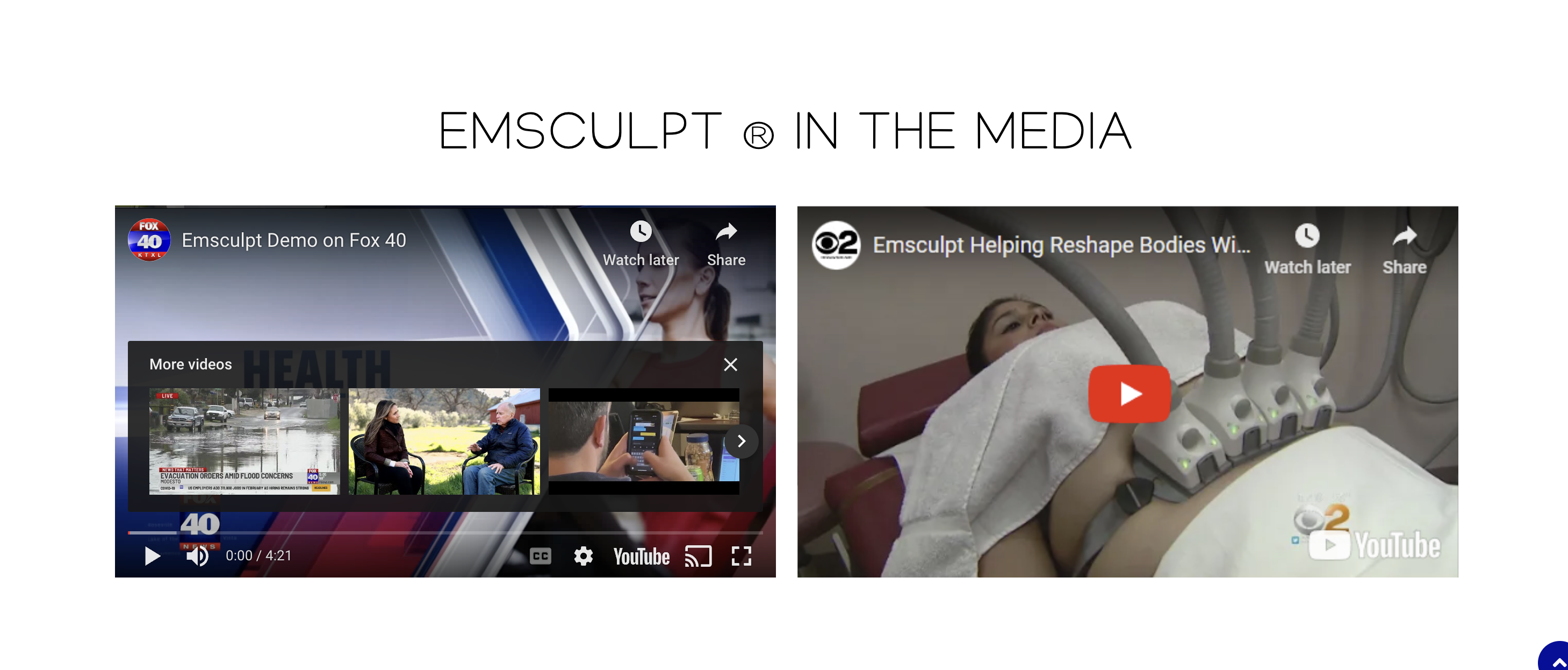
3. All Gravity form buttons need to say GET COUPON
4. Manually resize & compress the following images that are too large file size:
# https://go.bluewaterspany.com/wp-content/uploads/2023/02/Emsculpt-Blue-Water-Spa-Oyster-Bay-NY-sec-4.jpg (402KB)
# https://go.bluewaterspany.com/wp-content/uploads/2023/03/Emsculpt-Blue-Water-Spa-Oyster-Bay-NY-sec-3.png (526KB)
# https://go.bluewaterspany.com/wp-content/uploads/2023/02/Emsculpt-Blue-Water-Spa-Oyster-Bay-NY-sec-opt-3.jpg (403KB)
# https://go.bluewaterspany.com/wp-content/uploads/2023/02/Emsculpt-Blue-Water-Spa-Oyster-Bay-NY-sec-opt-7.jpg (412KB)
# https://go.bluewaterspany.com/wp-content/uploads/2023/02/Emsculpt-Blue-Water-Spa-Oyster-Bay-NY-sec-opt-6.jpg (490KB)
ICOONE
1. Update the Hero Image button & Gravity form buttons to say GET COUPON
2. Add the offer to the Gravity Forms (offer biggest & boldest)New Client Special$50 off*
First Icoone Session
3. Add offer disclaimer -
*Get $50 off the first Icoone session applies to new clients only. Cannot be combined with other offers or services.
4. Manually resize/compress the following images that are too large in file size
# https://go.bluewaterspany.com/wp-content/uploads/2023/02/icoone-Blue-Water-Spa-Oyster-Bay-NY-hero.jpg (349KB)
# https://go.bluewaterspany.com/wp-content/uploads/2023/02/Blue-Water-Spa-Oyster-Bay-NY-gallery-5-opt-1.jpg (328KB)
# https://go.bluewaterspany.com/wp-content/uploads/2023/02/icoone-treatments-Blue-Water-Spa-Oyster-Bay-NY-cta-sec.png (339KB)
# https://go.bluewaterspany.com/wp-content/uploads/2023/03/Emsculpt-Blue-Water-Spa-Oyster-Bay-NY-sec-2.png (387KB)
4. Change this button to say GET COUPON
*also, on desktop, can this models be moved down and/or expanded a little so the legs don't look chopped? Like how you did on Jet Peel page? Mobile looks ok
5. For this section -
# on desktop, anyway to balance the space more so there isn't a blank square on the right for the 2nd row? Also center the icons?
# on mobile, please center the icons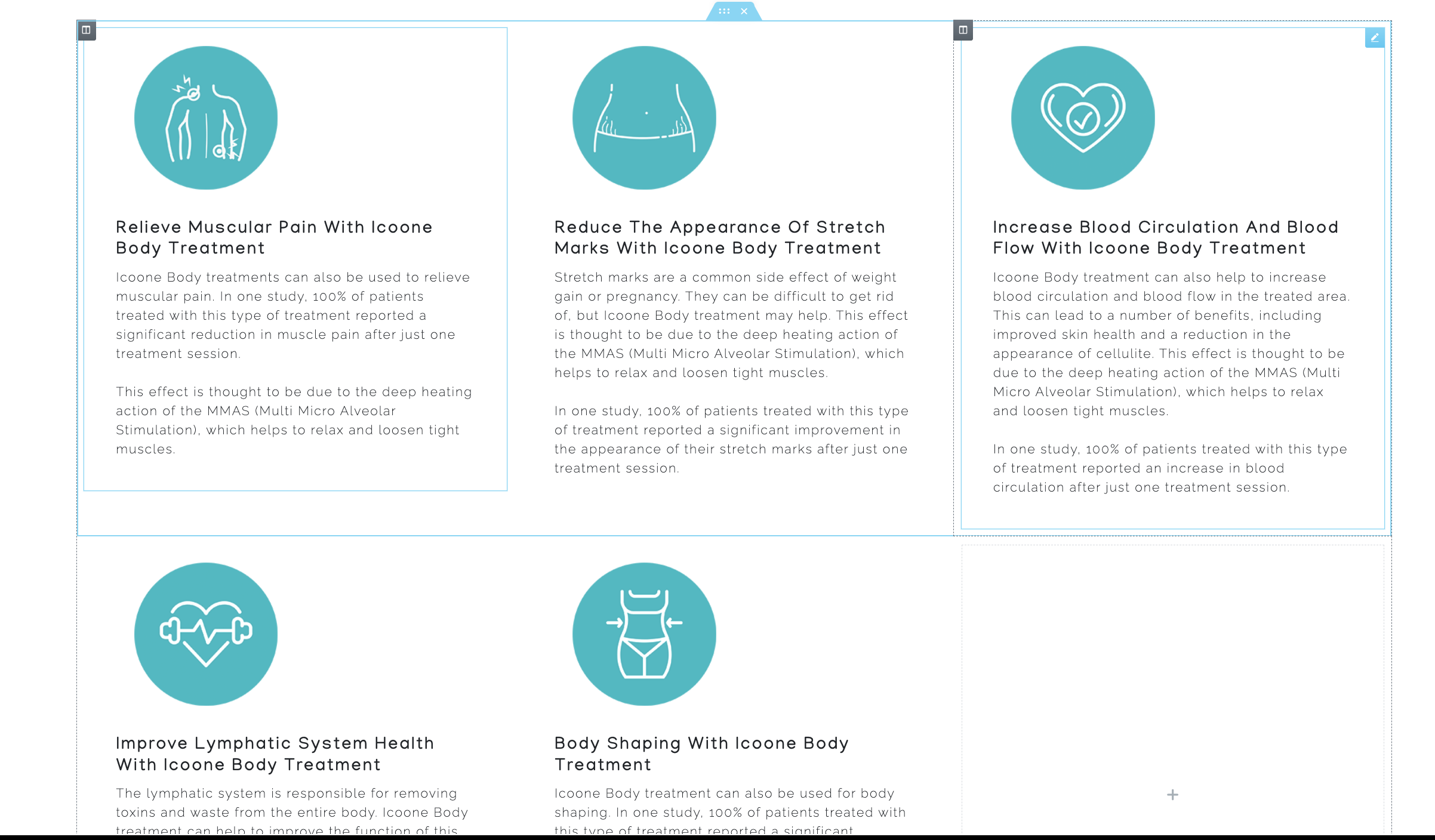
 6. Did this icon get misplaced? Or was it intentional to have it separated from the others?
JET PEEL
1. Add + to the headers that do not have them (last 2)
3. Add the offer to the Gravity Forms (offer biggest & boldest)New Client Special$50 off*
First Jet Peel Session
4. Update the Hero Image button & Gravity form buttons to say GET COUPON
5. Add offer disclaimer -
*Get $50 off the first Jet Peel session applies to new clients only. Cannot be combined with other offers or services.
6. Manually resize & compress the following images that are too large in file size
# https://go.bluewaterspany.com/wp-content/uploads/2023/03/Jet-Peel-Facial-Blue-Water-Spa-Oyster-Bay-NY-hero.jpg (417KB)
# https://go.bluewaterspany.com/wp-content/uploads/2023/03/Jet-Peel-facial-Blue-Water-Spa-Oyster-Bay-NY-cta.png (402KB)
CONTACT
1. Remove Lorem Ipsom on Hero Image - don't need anything.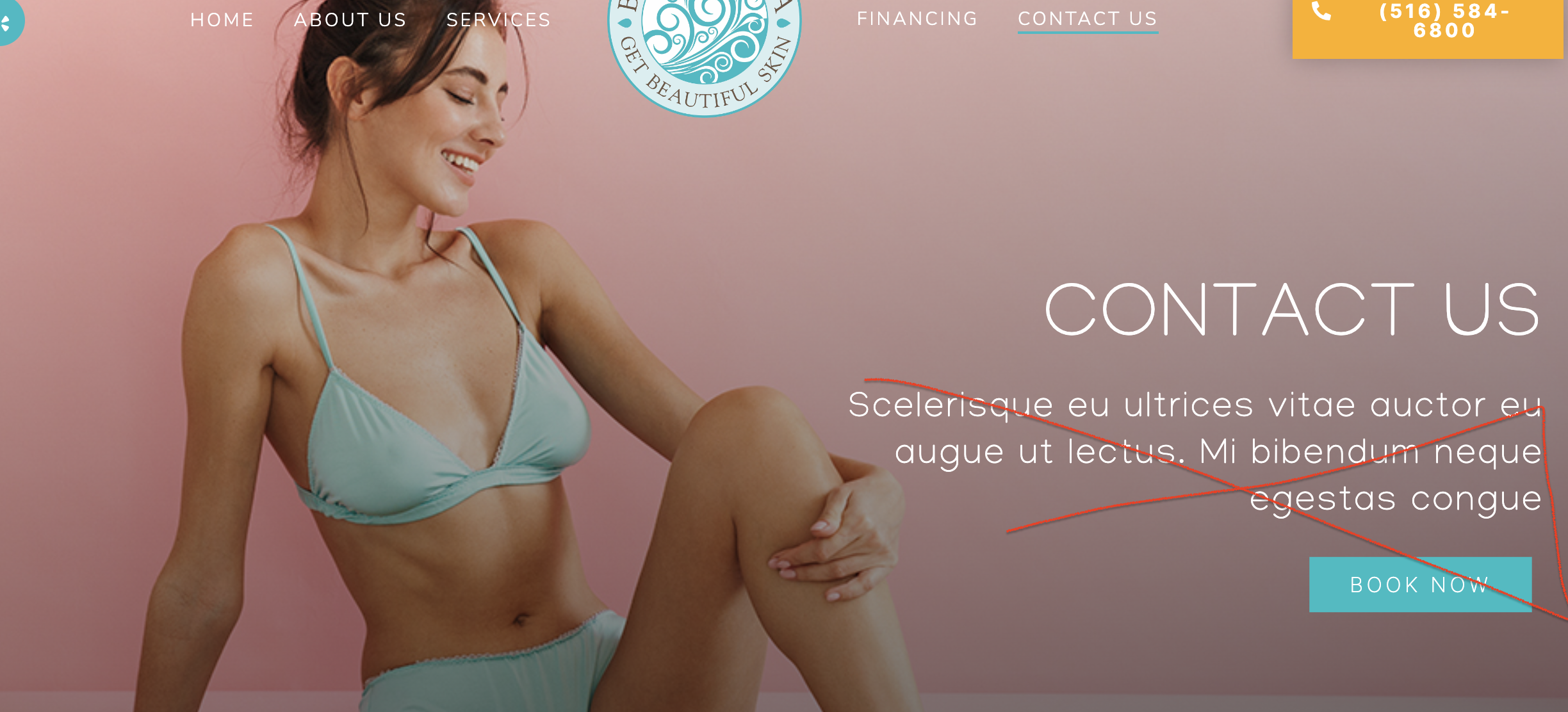
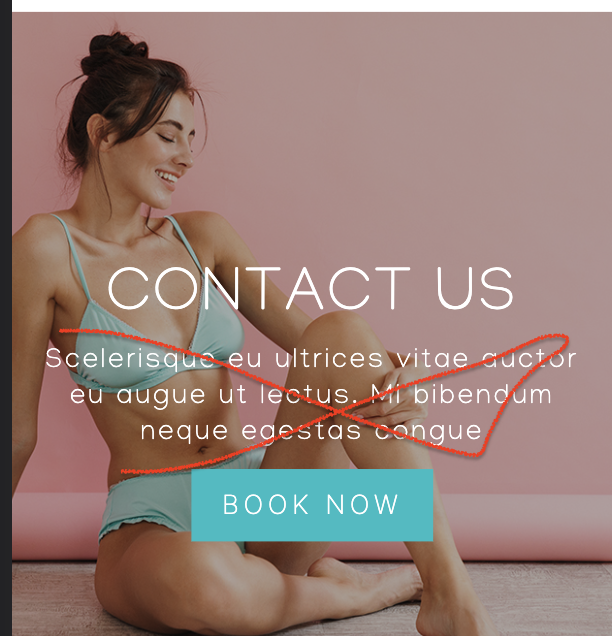 2. Resize/Compress the hero image, it is too large file size:
https://go.bluewaterspany.com/wp-content/uploads/2023/03/Blue-Water-Spa-Oyster-Bay-NY-contact-hero.jpg (422KB)


Alyssa, it would be great of we can get everything ready this week. Please let Nicol know when to get everything over to Shane (maybe at same time Vania sends out front desk training?).
Thank you!
https://go.bluewaterspany.com/
Also, has the client already received this unique Jet Peel content to put on their original website for SEO credit? I appreciate your help!
https://go.bluewaterspany.com/c/jet-peel-facial-oyster-bay/
https://go.bluewaterspany.com/jet-peel-facial/
https://go.bluewaterspany.com/c/jet-peel-facial-oyster-bay/