








✔ Old GTM Still There
Completed by Hector M.
- Assigned to
-
 Isaac K.
- Notes
-
Hello
Isaac
We had an old task that was closed whereas we removed the old GTM for this client and added the new one. However, I am STILL SEEING the old one back at their account.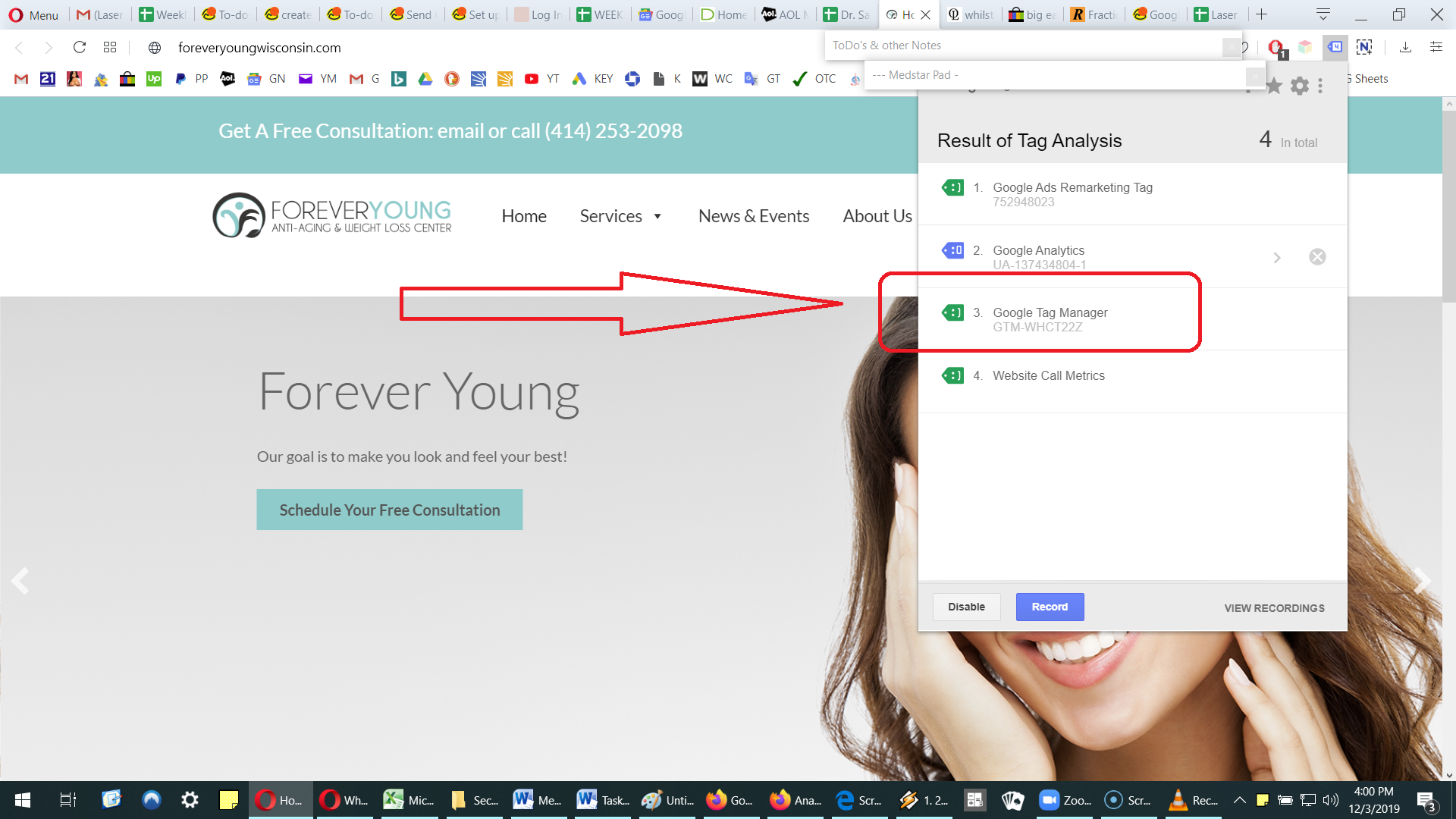
Can you please remove the OLD GTM-WHCT22Z again from this site?
I don't know why it is showing up again after we (you) removed it.
Any idea why?
In any case, here is the NEW GTM code again.
<!-- Google Tag Manager -->
<script>(function(w,d,s,l,i){w[l]=w[l]||[];w[l].push({'gtm.start':
new Date().getTime(),event:'gtm.js'});var f=d.getElementsByTagName(s)[0],
j=d.createElement(s),dl=l!='dataLayer'?'&l='+l:'';j.async=true;j.src=
'https://www.googletagmanager.com/gtm.js?id='+i+dl;f.parentNode.insertBefore(j,f);
})(window,document,'script','dataLayer','GTM-5MTVBW8');</script>
<!-- End Google Tag Manager -->
<!-- Google Tag Manager (noscript) -->
<noscript><iframe src="https://www.googletagmanager.com/ns.html?id=GTM-5MTVBW8"
height="0" width="0" style="display:none;visibility:hidden"></iframe></noscript>
<!-- End Google Tag Manager (noscript) -->
Does that make sense to you Isaac? - Yes that's right.
Thanks for verifying my conclusions.
Can you please add the Google analytics tags as well?
<!-- Global site tag (gtag.js) - Google Analytics -->
<script async src="https://www.googletagmanager.com/gtag/js?id=UA-153911918-1"></script>
<script>
window.dataLayer = window.dataLayer || [];
function gtag(){dataLayer.push(arguments);}
gtag('js', new Date());
gtag('config', 'UA-153911918-1');
</script>
Can you please add the Google analytics tags as well? - ADDED
Thank you.
I was checking on this client and I am seeing that the Google analytics is not working. It is not measuring or showing the visitors.
Here's the catch though: when I test with mobile phone, it is working.
Can you please see if you can figure out why desktop vistors are not being counted?
Not sure how you did it, but it is working now.
I am seeing the Desktop visitors show up. Glad I caught this.
Thanks.