How To Submit A CO-OP to CoolSculpting
To submit a CoolSculpting Co-Op for a client you need
Here is a video: https://drive.google.com/file/d/1aHHr-NJgvIZZLfWQLzyKSBQSP6vNDTSw/view
1. Clients CoolNet login
2. Their ad proofs for CoolSculpting on Google Ads / Facebook (these are the reports J creates
Also if we charged them for website services we need to show screenshots of the website or if SEO services screenshots of the SEO articles that are CoolSculpting related.
3. Our receipts that are related to CoolSculpting marketing charges
4. Occasionally you need to export a CSV of the Google ads campaign (only export how the headlines, and total cost
FYI - When you login to Co-Op
Co-op submissions are now submitted through the new submissions portal.
When the practice logs into CoolNet, they will see a yellow tab on the top right that says "CoolSculpting Rewards" (if they do not see this yellow tab, it means the user needs to be given co-op submission access on SFDC)- they will click on this tab, and once they are taken to the account's Utilization Dashboard, they will scroll down and see "+New Submission"- click on this tab. This is where the account will submit their co-op submission.
Here is a video: https://drive.google.com/file/d/1aHHr-NJgvIZZLfWQLzyKSBQSP6vNDTSw/view
1. Clients CoolNet login
2. Their ad proofs for CoolSculpting on Google Ads / Facebook (these are the reports J creates
Also if we charged them for website services we need to show screenshots of the website or if SEO services screenshots of the SEO articles that are CoolSculpting related.
3. Our receipts that are related to CoolSculpting marketing charges
4. Occasionally you need to export a CSV of the Google ads campaign (only export how the headlines, and total cost
FYI - When you login to Co-Op
Co-op submissions are now submitted through the new submissions portal.
When the practice logs into CoolNet, they will see a yellow tab on the top right that says "CoolSculpting Rewards" (if they do not see this yellow tab, it means the user needs to be given co-op submission access on SFDC)- they will click on this tab, and once they are taken to the account's Utilization Dashboard, they will scroll down and see "+New Submission"- click on this tab. This is where the account will submit their co-op submission.
Comments & Events
 Chris Zelig
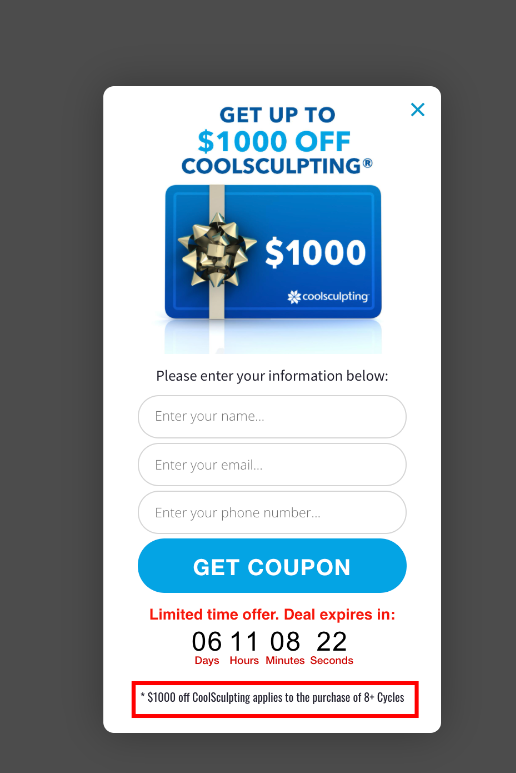
Sometimes the Co-OP has issues with our $1000 OFF so we have to prove to them we have a disclaimer so you can use this here: