













Always Beautiful - www.alwaysbeautiful.net - 🔴 SEO client 🔴 - Judi & Chris

www.alwaysbeautiful.net - This is for a client who already has a website we can use that we just need to optimize.

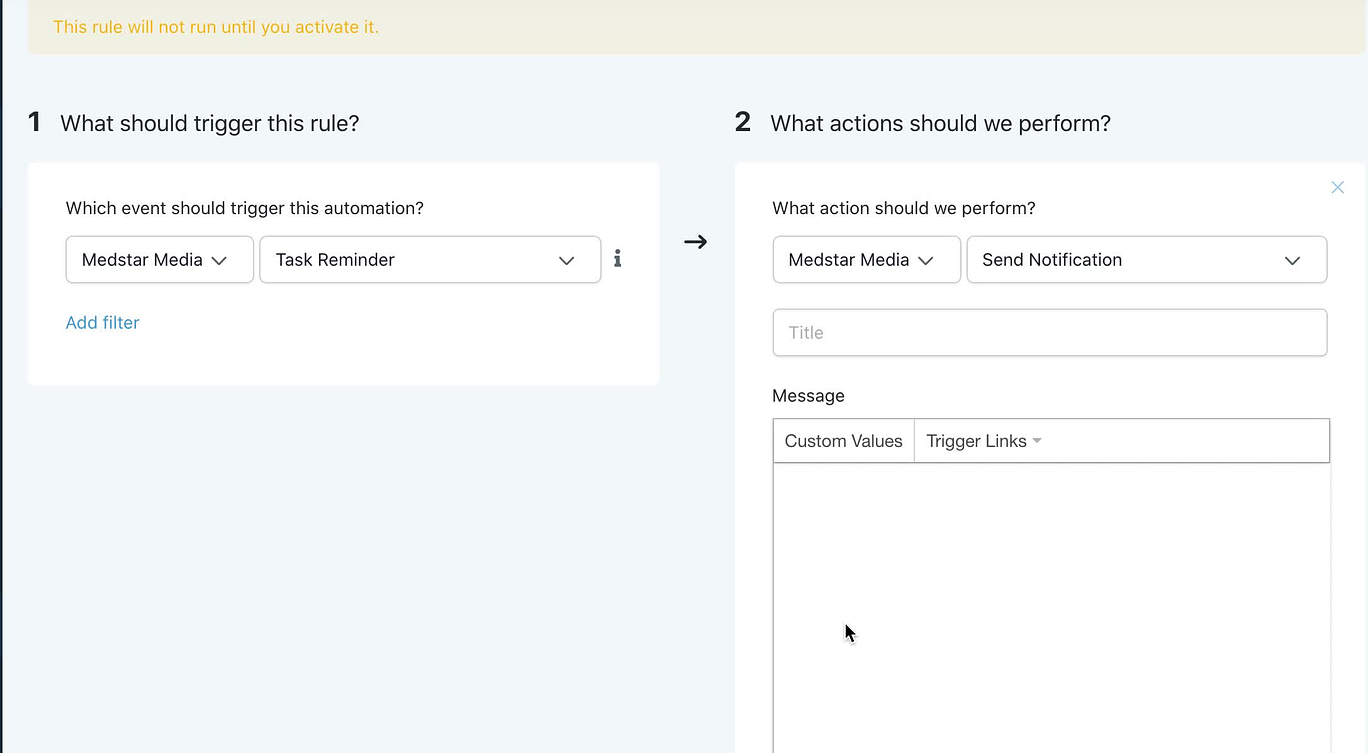
create task triggers GHL

Assigned to
Isaac Klausnser, Medstar Isaac K.
Notes
sooooo I want to start using tasks more... but specifically first for the always beautiful acct....I heard that GHL now has the option for "in-app notifications" to be set up as a trigger for when tasks are due or past due. How would the setup look like for that? What does the notification look like? Do you think we could run like a weekly report to see upcoming tasks? Or past due tasks?
Operations-wise....how hard would it be to set up this trigger across the board on all the sub accts?
Both moving forward and retroactively for existing accts?
Sorry about all the questions! lol
Comments & Events

Isaac Klausnser, Medstar
Vania J, Medstar Vania - The trigger for this looks correct in your video.

Do you think we could run like a weekly report to see upcoming tasks?

As per the info on this trigger. It will run daily at 8:00 am automatically. So we can use it to send reminders on a daily basis for both the upcoming and past due tasks. We can use the filter to set the before/after no. of days.


Operations-wise....how hard would it be to set up this trigger across the board on all the sub accts?

It shouldn't take more than 2-3 hrs to create this on all the current accounts.
Vania J, Medstar
Isaac Klausnser, Medstar Isaac  what does the in-app notification look like?
Vania J, Medstar
Isaac Klausnser, Medstar Isaac  and lets set it up for Always Beautiful pleasee
Isaac Klausnser, Medstar
Vania J, Medstar Vania - I think it will appear here. Top right in the orange icon.


Will look something like this.


We can set the custom title and description text for the notification reminder and also the redirect page where once spa staff clicks on it they will get redirected to.


Please let me know the title, description, and the redirect page for this trigger. 
Vania J, Medstar
Isaac Klausnser, Medstar Isaac can you make suggestions for this "the title, description, and the redirect page for this trigger" because all the tasks would be different. Can it open the client tile maybe and just say "overdue task"? Or can it auto-populate the task name as the title and description?
Isaac Klausnser, Medstar
Vania J, Medstar Vania - In this case, we can either create a single task reminder trigger that will have a generic text as you have suggested above "overdue task" or "You have pending tasks assigned by {name}". OR  we can create a separate task reminder trigger for each type.

The redirect page should depend on the task type. For the general reminders we can use "contact" as from here he can access all of their leads despite their current status and stage.
Vania J, Medstar
Isaac Klausnser, Medstar Isaac let's use "You have a pending/overdue task for {name}" With {name} being the lead's full name. And yes let's redirect to contact, please. For now, let me play around in an acct later today and see if I like something else more. 
Vania J, Medstar
Isaac Klausnser, Medstar Isaac also let's make sure it sends an email notification to the user's email AND colestengel16@gmail.com as well. 
Vania J, Medstar
Isaac Klausnser, Medstar Isaac  really? I watched a video with someone setting up the trigger where it sent a notification to the email of the person logged in. Let me see if I can find it again and rewatch...
Alyssa Workman, Medstar
Good to close this Vania J, Medstar Vania  ?
Vania J, Medstar
Vania J completed this to-do.
