











✔ Audit/ Edit final website
Completed by Alyssa W.
- Assigned to
-
 Alyssa W.
 Brittany R.
 Elizabeth R.
- Notes
-
**NOTES TO REMEMBER:
1. I took care of this but going forward -
On gravity forms, the element tag should be <p> instead of <h2> or any other element tag.We saw this example below:<h2>New Client Special</h2><h2>$600 OFF</h2><h2>Emsculpt NEO</h2>Better Version: <p>New Client Special $600 Off Emsculpt NEO</p>
2. I took care of this but going forward -
There should only be 1 <h1> tag and <h2> tags are revered for the section titles in the body of the text only, not to be used as styling elements on gravity forms. All other tags should be <h3> or <p>
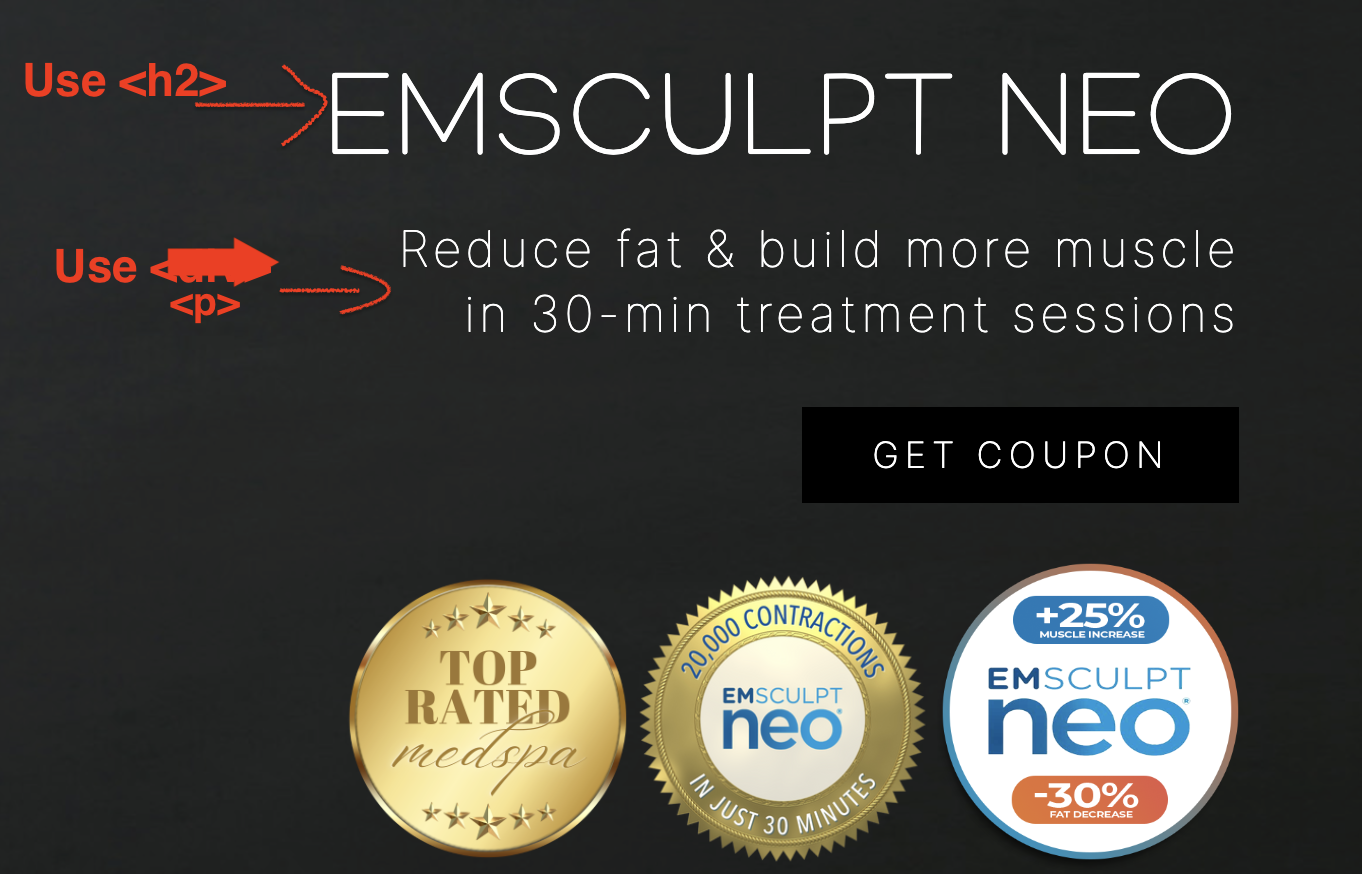
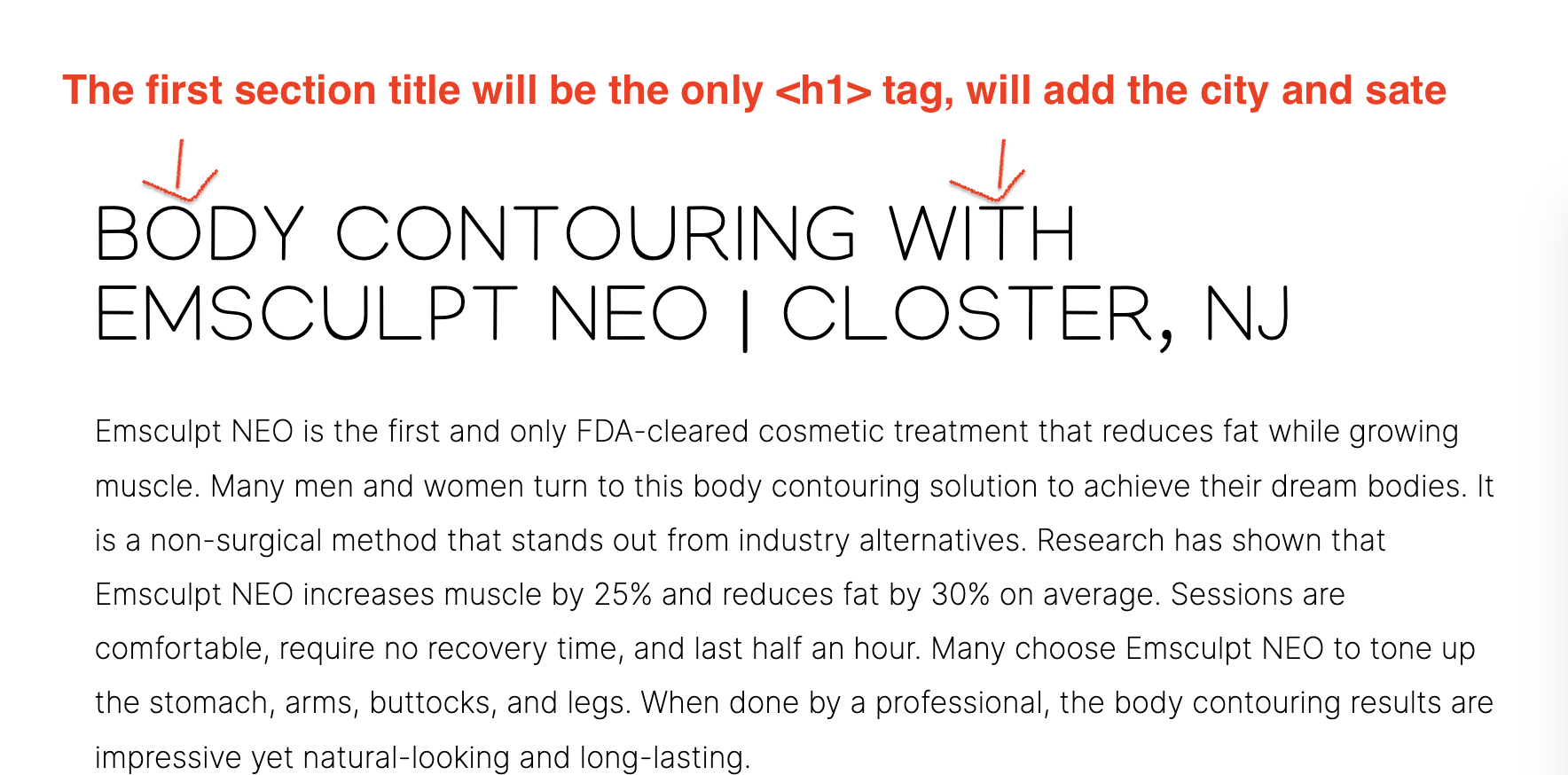 3. It is important for consistency that the height of hero images on mobile and desktop be consistent. Some of mobile hero images were inconsistent and are notated in the edits below.
4. When placing models on the desktop hero image, do the best to balance any negative space and to not cut off body parts. Some desktop hero images have too much negative space or not enough between the models and text. Specific pages that need adjusted are notated in the edits below.
5. Always add a slight overlay on mobile hero images or any image with text overlapping, so that it is easier to read. Edits are notated below.
6. Be careful about adding the correct phone number to specified locations. Edits notated below.
Edits for Developer Zaib
STIEWIDE - BOTH LOCATIONS - LANDING PAGES & CONFIRMATION PAGES
1. Hyperlinks are not noticeable or inconsistent in color, please change the color hyperlinks in body of text on all pages to this: #D6AE60. *Keep contact information in the footer as is (black)*
2. Link Closter address to the Google Business map https://goo.gl/maps/jr6UNWQRC8NM3S636
3. ALL mobile hero images on all landing pages AND all confirmation pages need a slight overlay added so the text is easer to read.
4. All mobile hero images need to be consistently the same height (except homepage), notated which pages below.
5. Link Treatments featured image section to this link (open on new page) - Mobile & Desktop - All pages
HEADER
1. Add both phone numbers to the header as a sticky header separate from the navigation menu, like this example. Closter 201-564-7061 | Wyckoff (201) 347-9599)2. Add social media icons to the menu on the desktop & mobile (where I have the red square), balance the spacing.

HOMEPAGE
1. On mobile only landing page & confirmation page:
-Switch the text size in this section. "Our Locations" should be the larger font size, the "Vervalen street closter" & "Frankin Ave Wycoff" should be the smaller font size. Like how the Desktop version is displayed.
- Also, phone numbers and address should be clickable and hyperlinked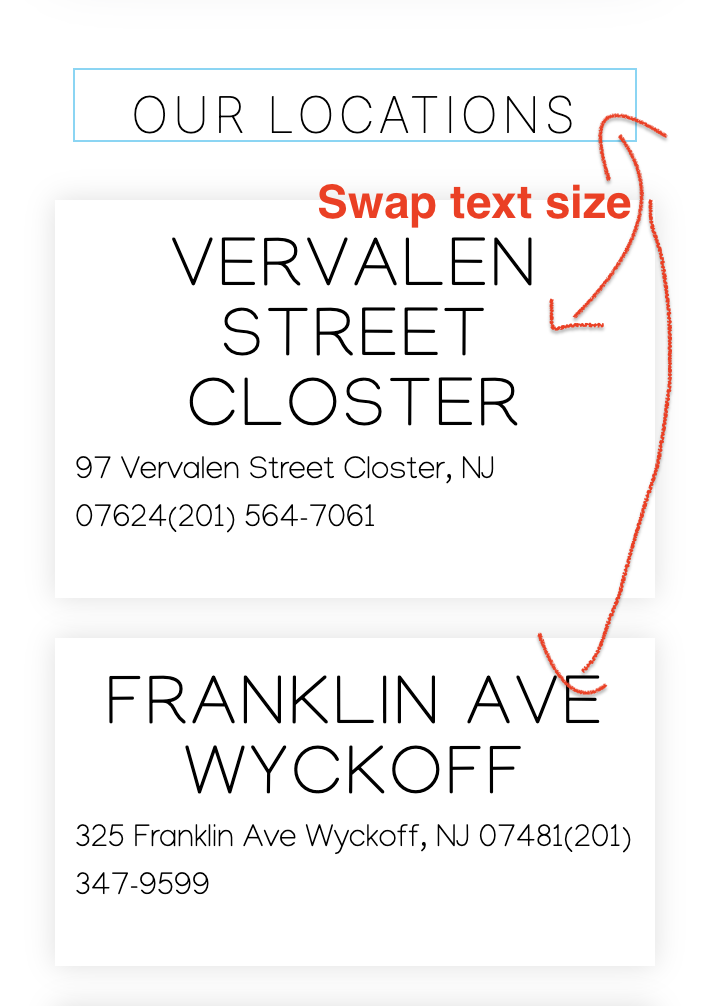
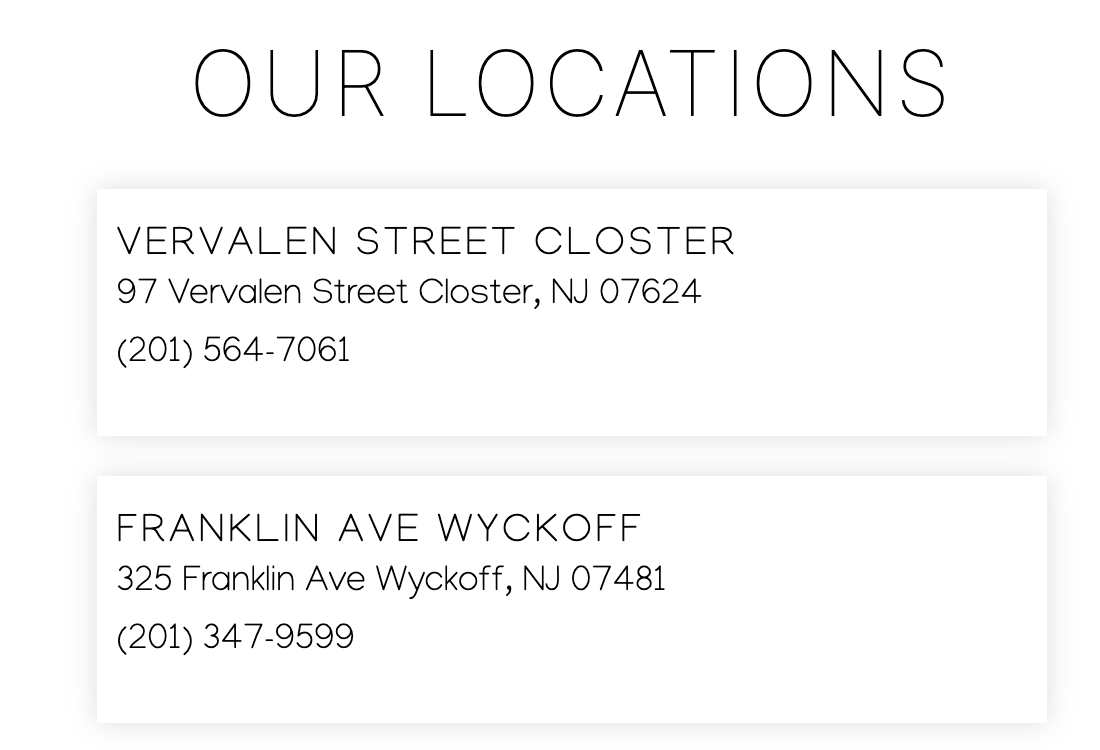
EMSCULPT NEO - BOTH LOCATIONS - (Landing Page & Confirmation Page as notated)
1. Change disclaimer to:
*Promotions: New Client special. Discount of $600 off the purchase of a full package of 4-6 sessions. Cannot be combined with other offers. Please contact Wellnessesity for full offer details.
2. Hero image
- On desktop: balance the negative space and move models a little to the right.
- On mobile hero, add slight overlay on image so text is easier to read - landing page & confirmation page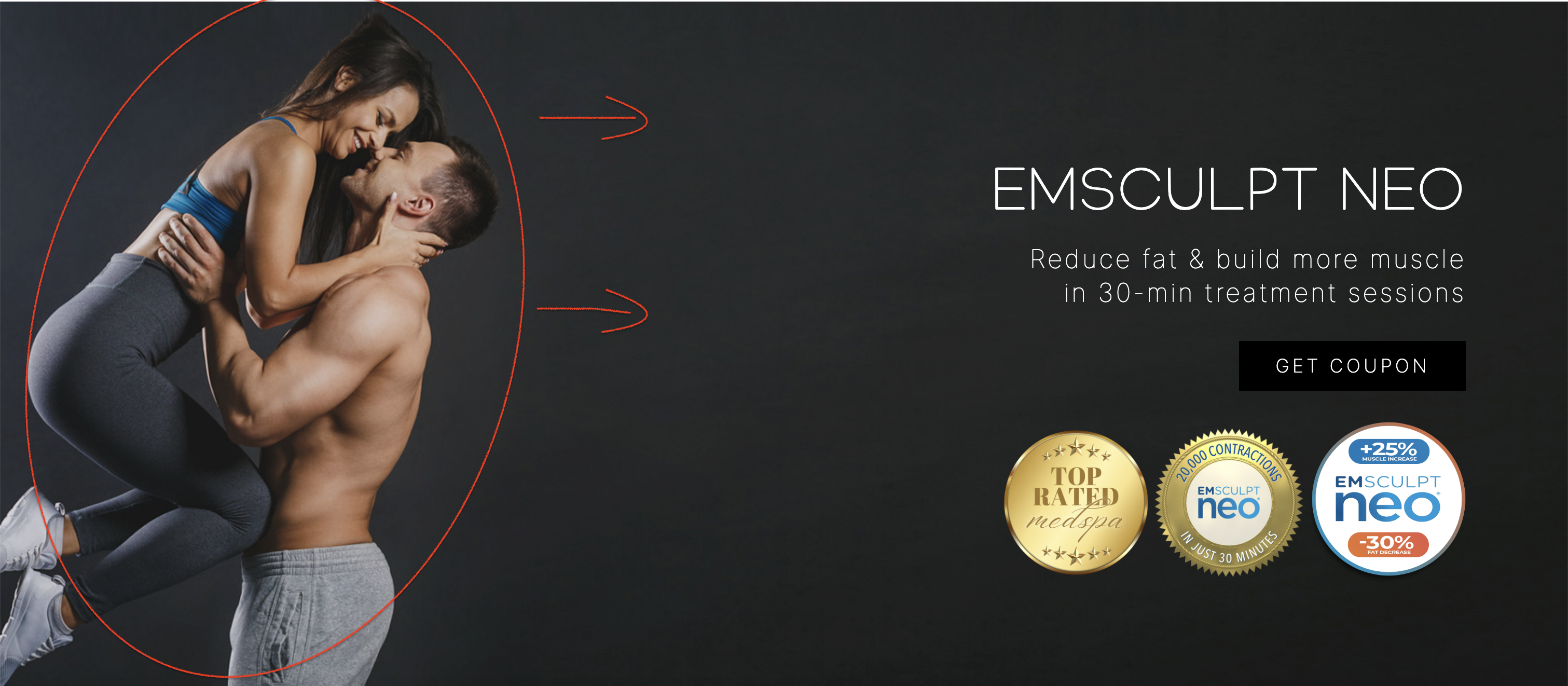
 3. Badges are not the same size, I resized so they closer to the same size. Please replace with these:


EMFACE - BOTH LOCATIONS - (Landing Page & Confirmation Page as notated)
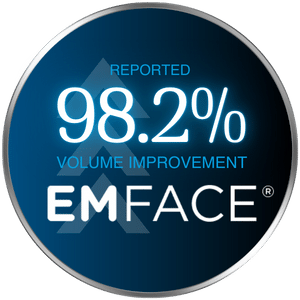
1. Please add these badges to the hero image:

 2. For both the landing page and confirmation pages:
- On desktop hero image, move model to the right slightly to balance the negative space.
- On mobile hero, add slight overlay on image so text is easier to read - landing page & confirmation page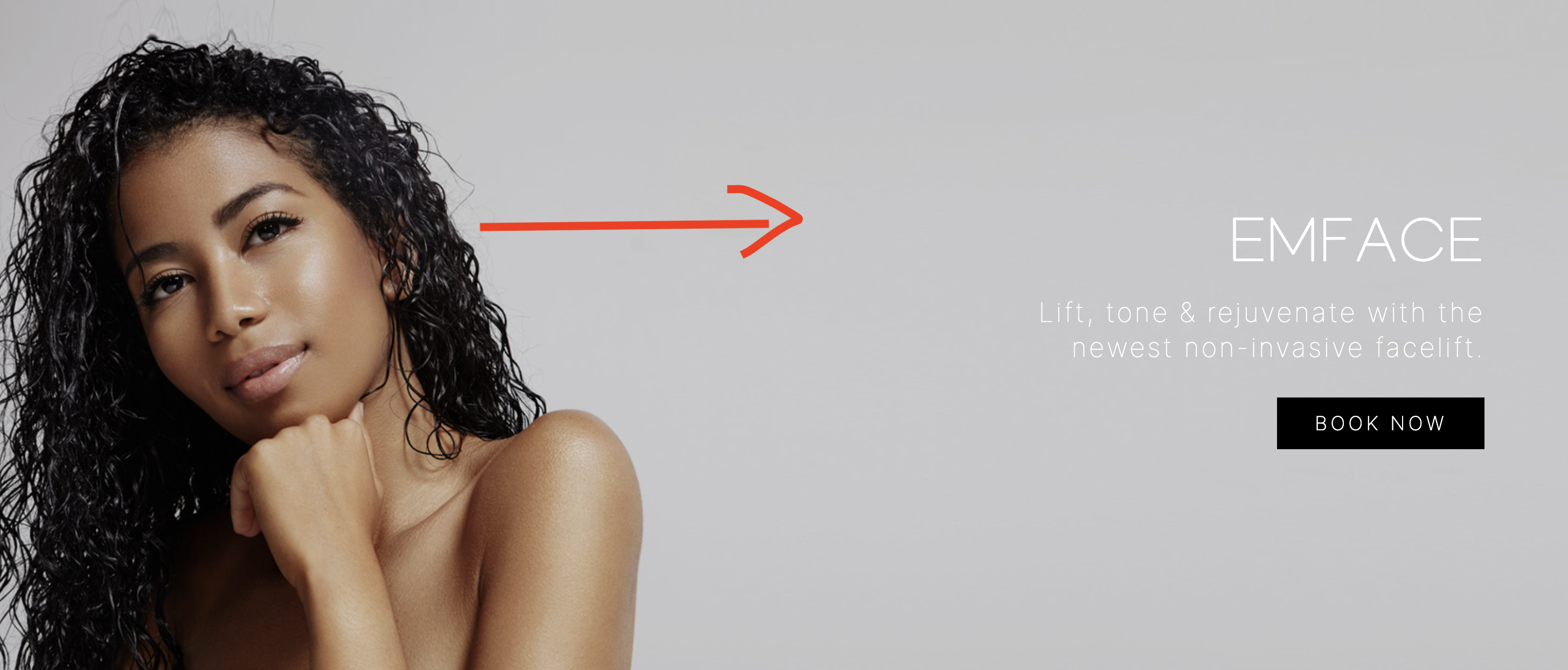

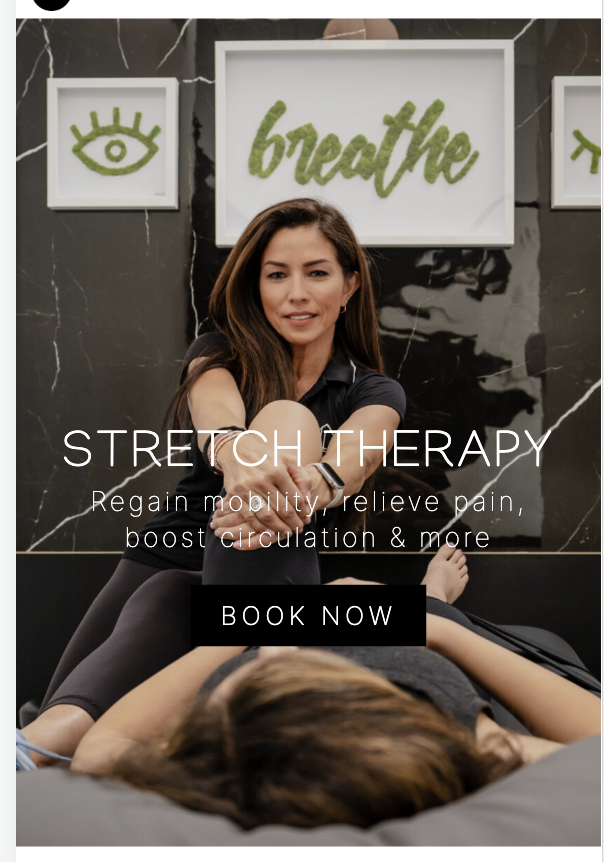
STRETCH THERAPY - BOTH LOCATIONS - (Landing Page & Confirmation Page as notated)
1. For both the landing page and confirmation pages:
- On desktop hero image, move model to the left slightly to balance the negative space. Don't cut off the foot.
- On mobile hero, add slight overlay on image so text is easier to read - landing page & confirmation page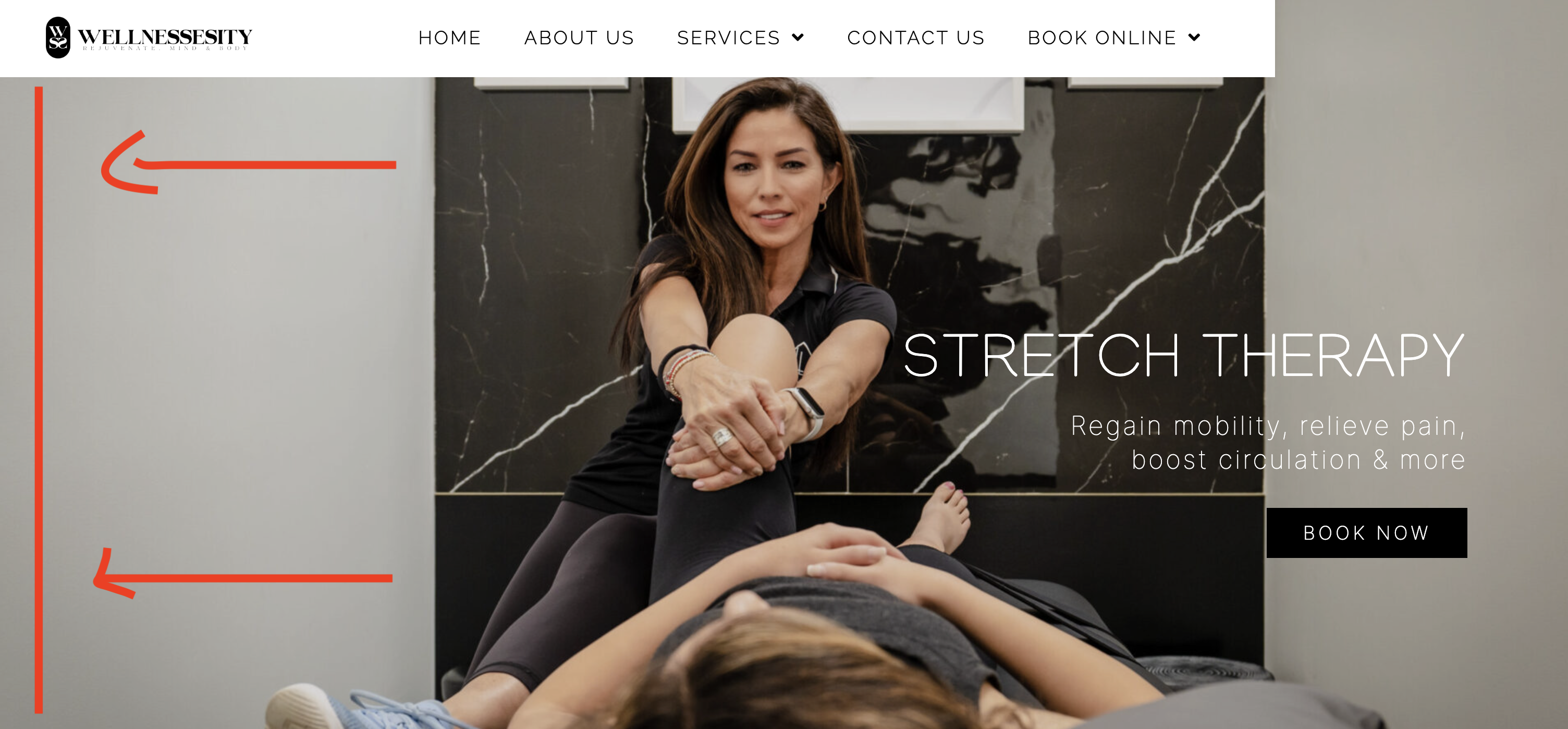
CRYOTHERAPY - BOTH LOCATIONS - (Landing Page & Confirmation Page as notated)
1. Mobile hero image, landing page & confirmation page:
- Add slight overlay on mobile hero images on landing page & confirmation page so text is easier to read.
- Height is too short please make the same height as the example on the right.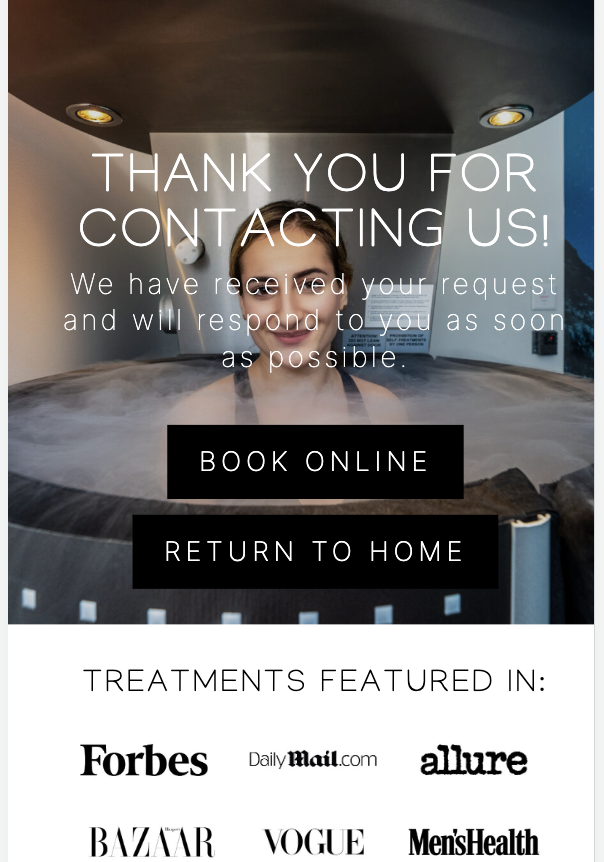

EMSELLA - BOTH LOCATIONS - (Landing Page & Confirmation Page as notated)
1. Mobile hero image landing page & confirmation page:
- Image height is too short, please make the same height as the example on the right.
- Add slight overlay so text is easier to read.
- Reposition models slightly to the right so the model's head on the left is not cut off. 2. Desktop Hero image, landing page & confirmation page:
- Balance the negative space between the models and the text by moving slightly to the right.
- Right-justify the badges so they are aligned with the button and text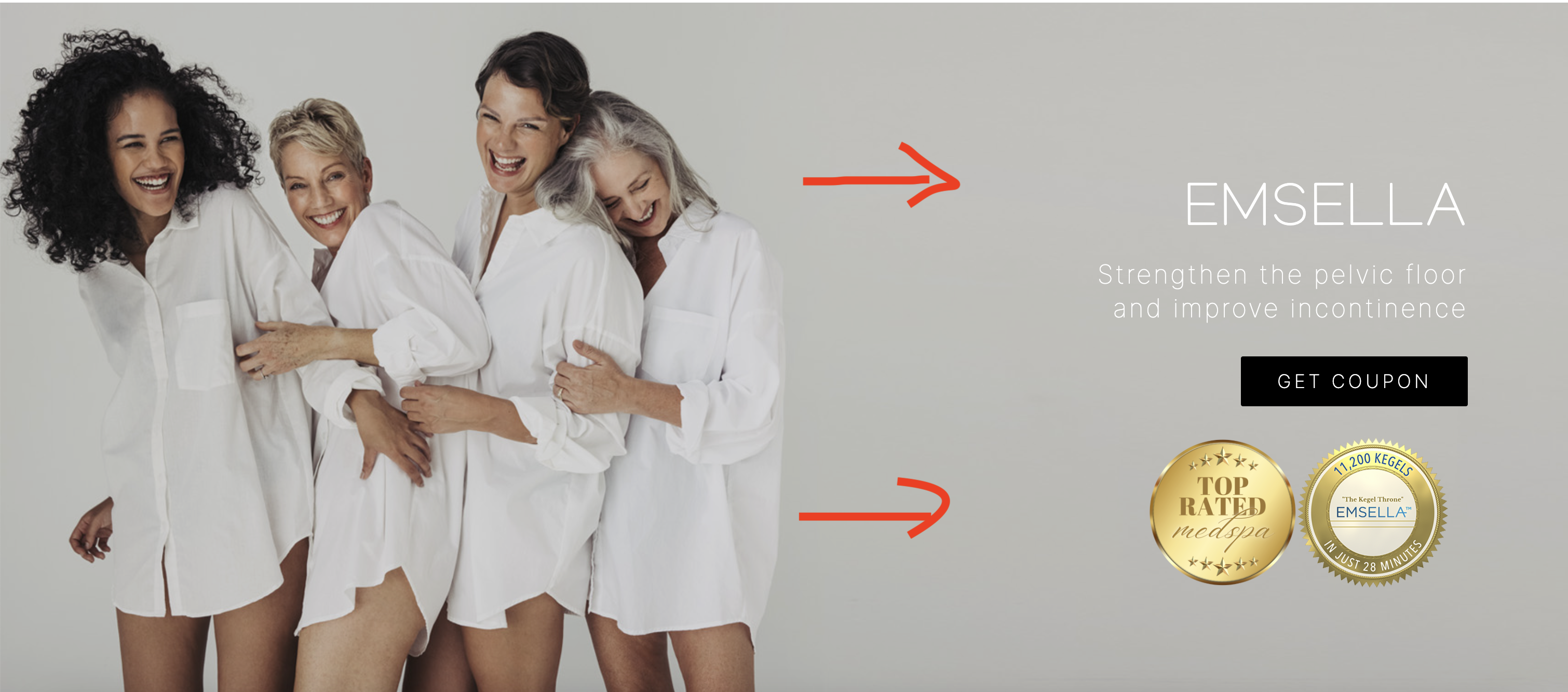
WEIGHT LOSS - BOTH LOCATIONS - (Landing Page & Confirmation)
1. Add more padding to this section - mobile only on landing page & confirmation page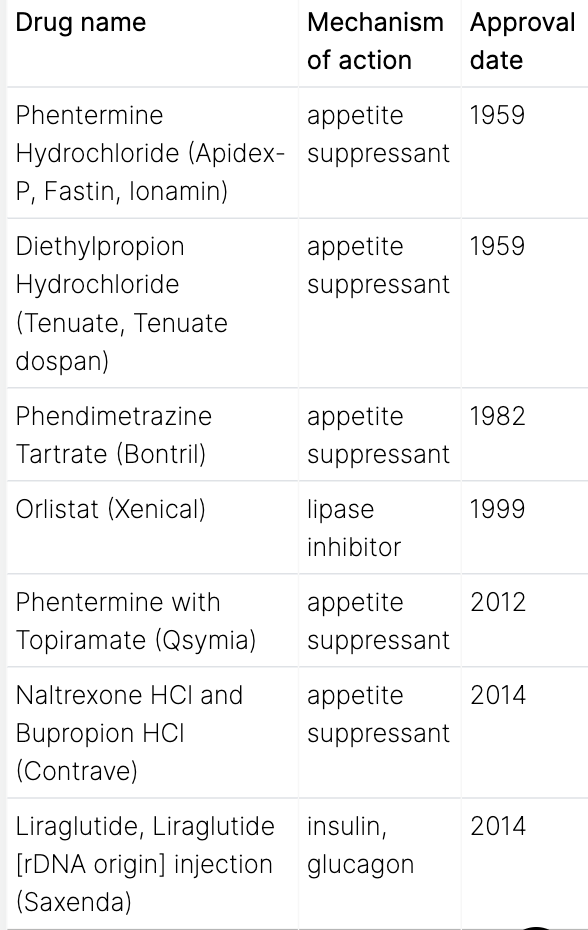
PEPTIDE THERAPY - BOTH LOCATIONS - LANDING PAGE & CONFIRMATION PAGE
1. Desktop: These images are not consistent, zoom out a little on the models so they are not cut off and so text is not overlapping models (Both locations)
 2. Mobile:
- Make sure both pages have the mobile image set
- Image height is too short, please make the same height Emsculpt Neo page.

Privacy Policy
1. Link https://goo.gl/maps/7P2HodTV2tWAFqLWA to Closter
2. Fix padding on mobile version to be consistent with the entire website.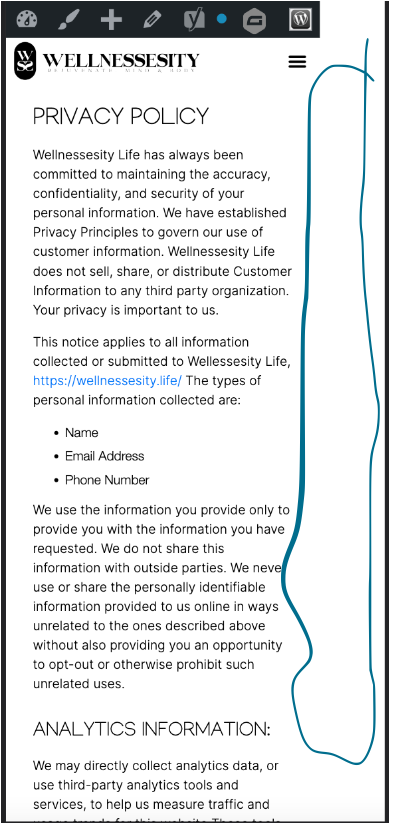
3. Fix spacing for addresses and email addresses - mobile only, desktop is okay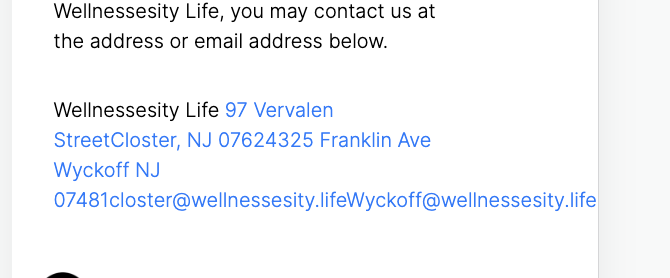
Contact Us Page
1. Link https://goo.gl/maps/A3aMaMjQkBo5TAb76 to Closter address
2. Enlarge the "CONTACT US" title - Mobile only, desktop is ok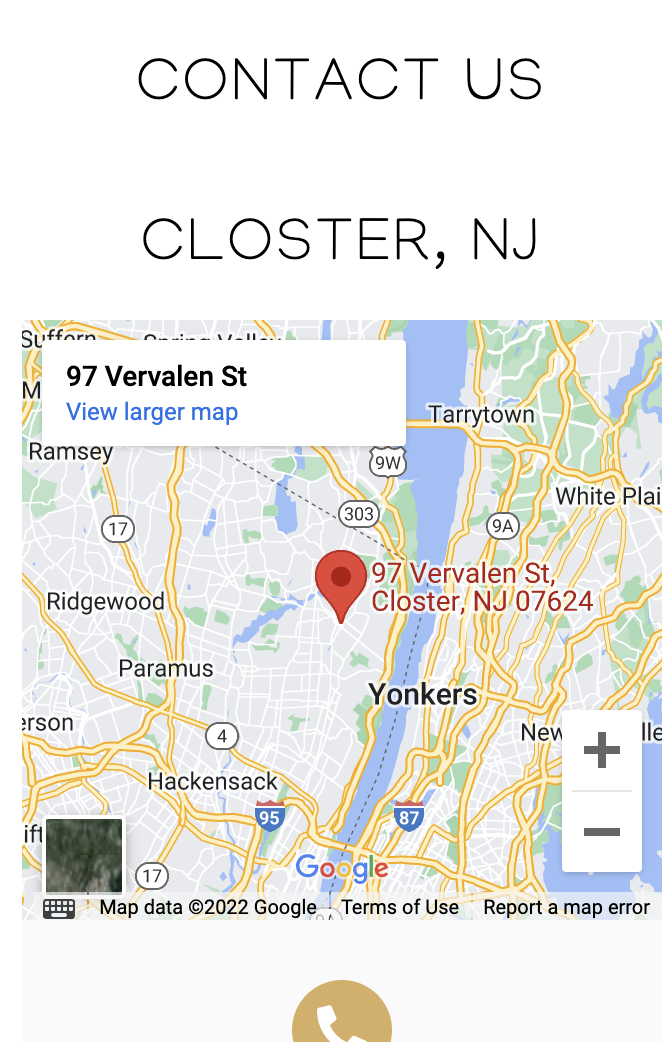
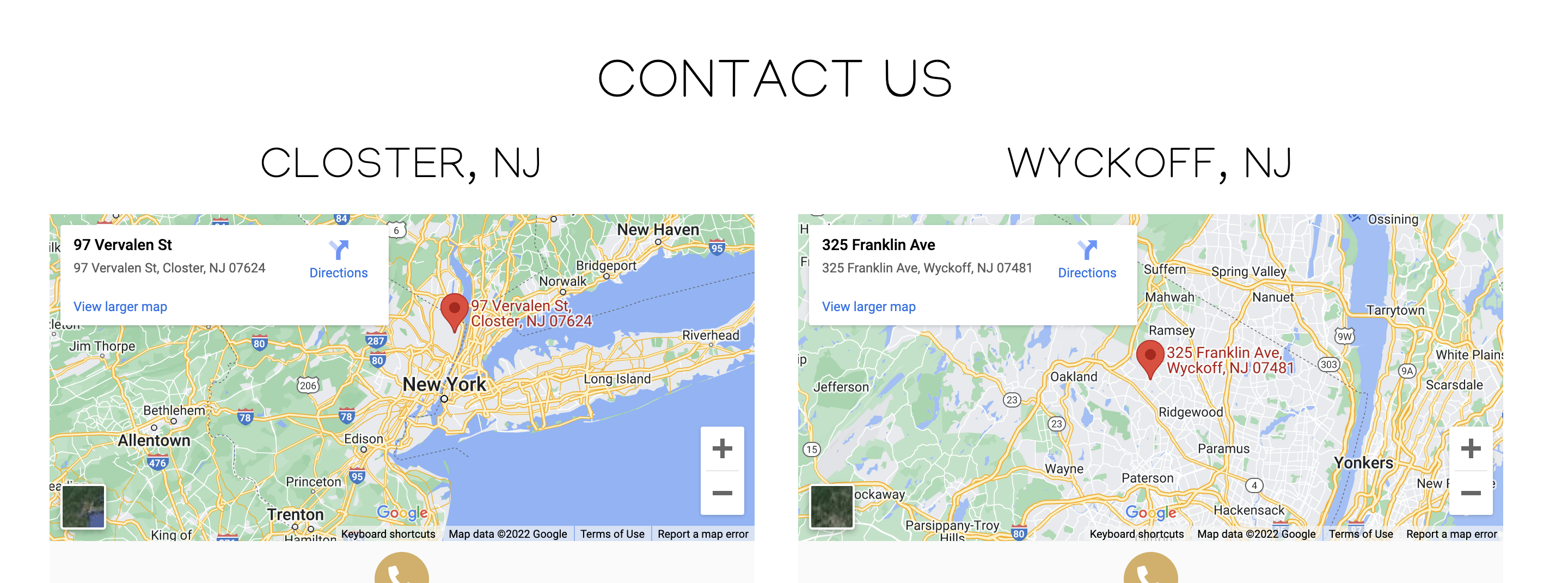
3. Add some space between WYCOFF & the Closter email - Mobile only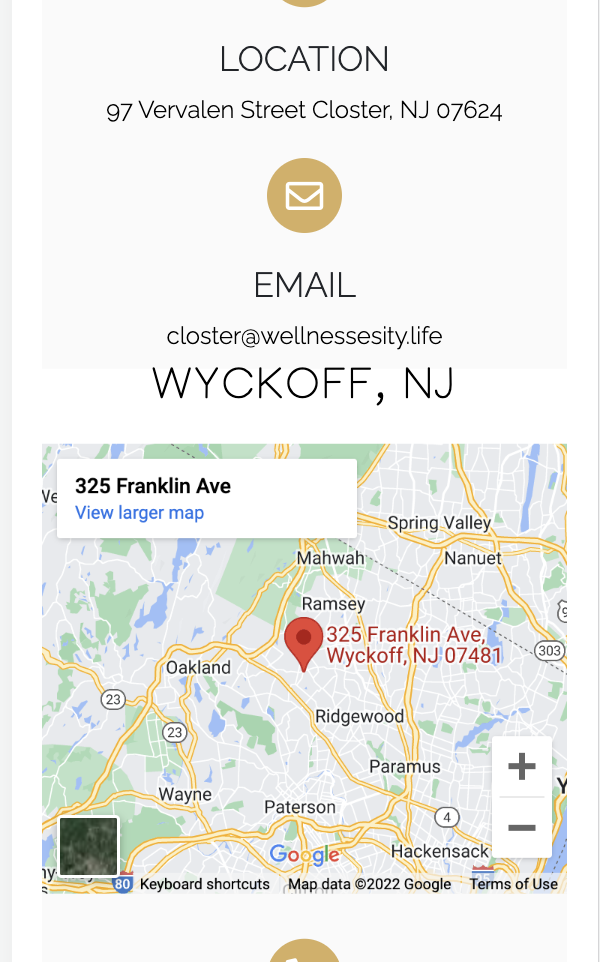
Contact Us Confirmation Page
1. Link https://goo.gl/maps/A3aMaMjQkBo5TAb76 to Closter address
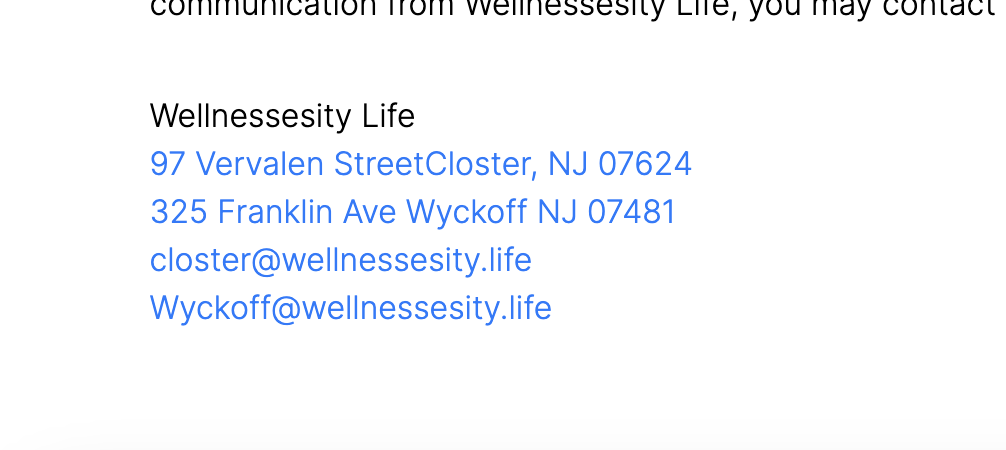
2. Correct the spacing on mobile version - Move 325 to second line with Wyckoff, separate the two addressesWeight-Loss (Wyckoff ONLY)
1. Update the phone number on the gravity forms to the correct # (201) 347-9599
2. Add padding around the medications section on the mobile version to be consistent with the page (photo above)
Spider and vericose vein treatment (Wyckoff ONLY)
1. Update the phone number on the gravity forms to the correct # (201) 347-9599Peptide Therapy Page + Confirmation Page (Wyckoff ONLY)
1. Update phone number on the gravity forms to correct # (201) 347-9599
Testosterone Replacement Therapy (Wyckoff ONLY)
1. Update the phone number on the gravity forms to the correct # (201) 347-9599
Bioidentical hormone replacement page + confirmation page
1. Update the phone number on the gravity forms to the correct # 201-564-7061 (Closter page) & (201) 347-9599 (Wyckoff)

I think it is best to keep communication on the specified task, keep texting and emails to a minimum except as needed. This will also help to avoid confusion.
Alas, it is what is now and we can improve going forward. Thanks for your help in getting through this site and growing pain. We got this.
We need to get this website finalized and that can wait a couple days. I will put a due date on this task so it doesn't get forgotten.
Cryotherapy, EMface, Stretch Therapy, & IV Therapy
Once you are completed or if you cannot get to it today, let Elizabeth know.
Thank you both!